
Delete User Data in the Apps
In this article, we are going to explain how you can delete data collected by apps related to online billing, developed by iescobill.pk.
The Apps:
Here is list of apps that are developed by iescobill.pk, and you can learn how these apps collect user data and how you can delete it: GEPCO Bill
 MEPCO Bill
 IESCO Online Bill Checker
 LESCO Bill
 PESCO Bill
 FESCO Bill
 HESCO Bill
 SEPCO Bill
Data Collected:
All these app require a 14-digit Reference Number or 10-digit Customer ID. The app users have choice whether they want to save this number or not as you can see in the picture below:
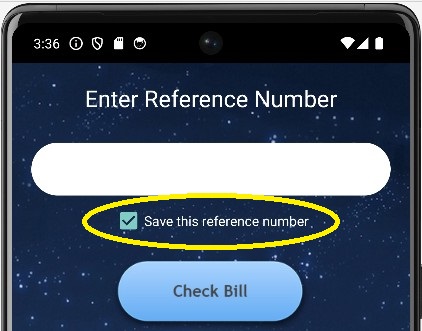
The apps will only save your reference number or customer id if that checkbox is checked. The purpose to save reference number is to make it easy to check bills later on. If reference number or customer id is saved, you don't need to enter this number every time you check the bill, but you can load your latest bill by single tap.
How data is stored?
The data is stored in Android SharedPreferences. Shared Preferences data is saved in an XML file within the app package, and it is stored in user's mobile device untill the app is uninstalled. We used shared preferences because the bill Reference Number or Customer ID is not a secret information as it is printed on all bills. The only purpose to save this data is to make it easier for users to check their bills fast every month.
How to delete data?
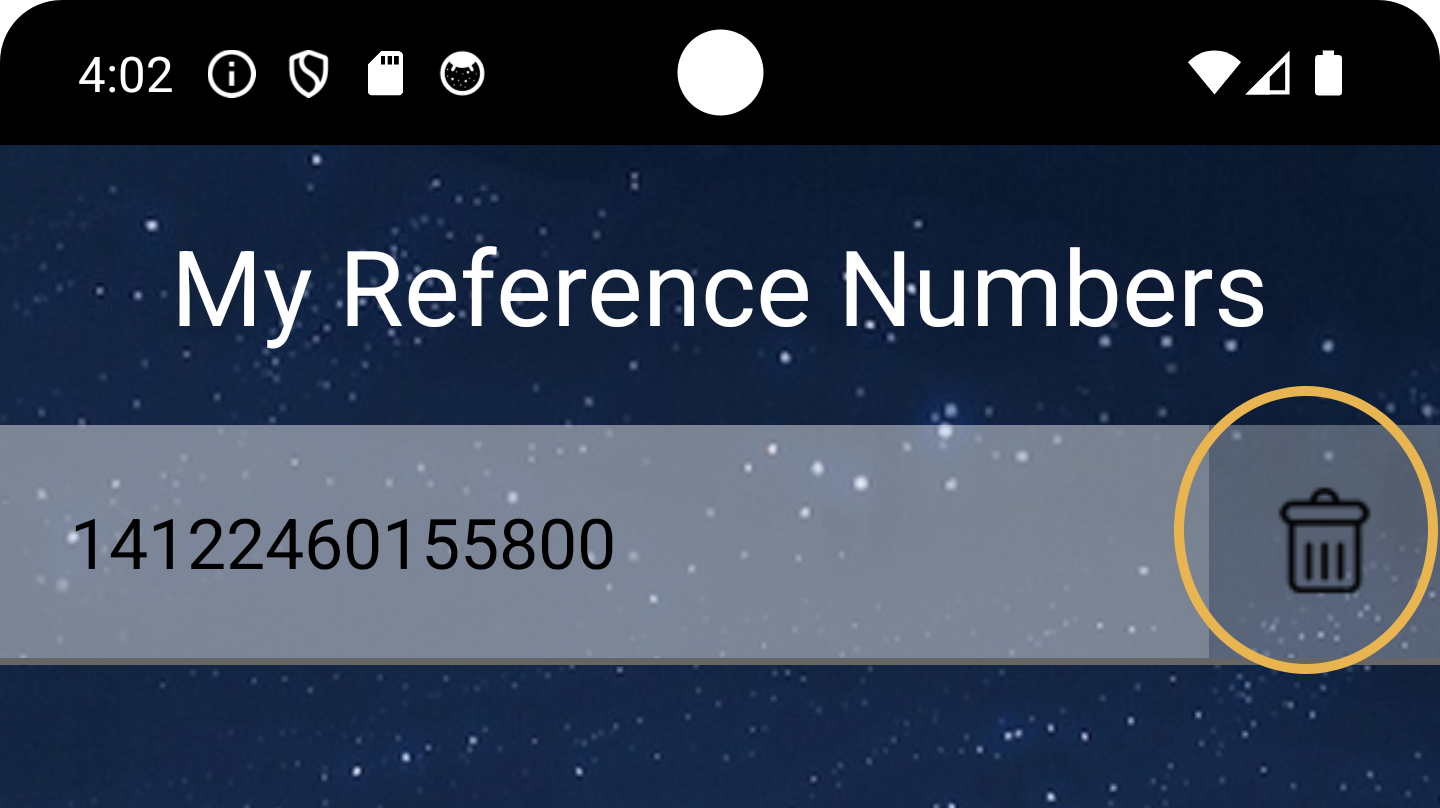
Of course, you can delete your data any time. To delete your saved reference numbers, you can navigate to 'My Reference Numbers', and click on 'Delete' icon next to the reference number. You can delete any number any time.
You can contact us any time if you have any further questions regarding the app data stoarge. Also, please read our privacy policy to learn what kind of data we collect and how we deal with it.